Troupe
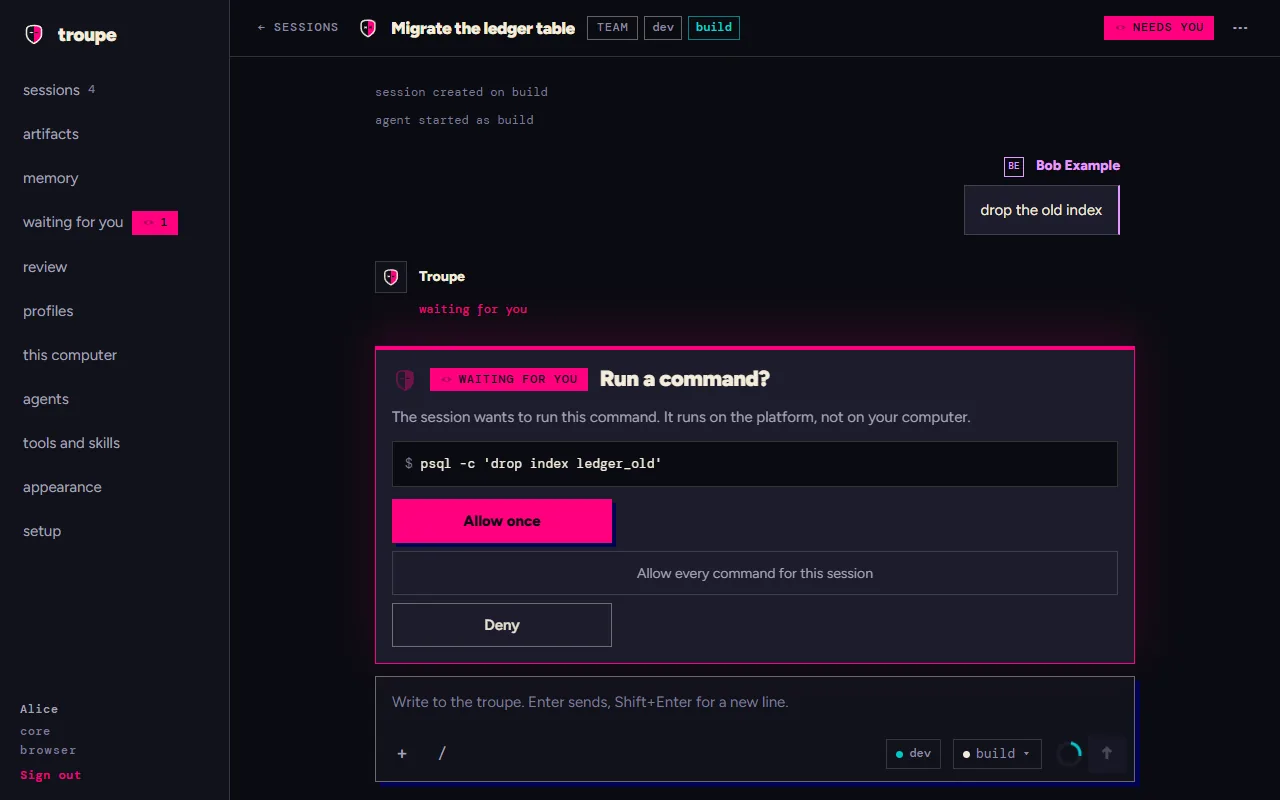
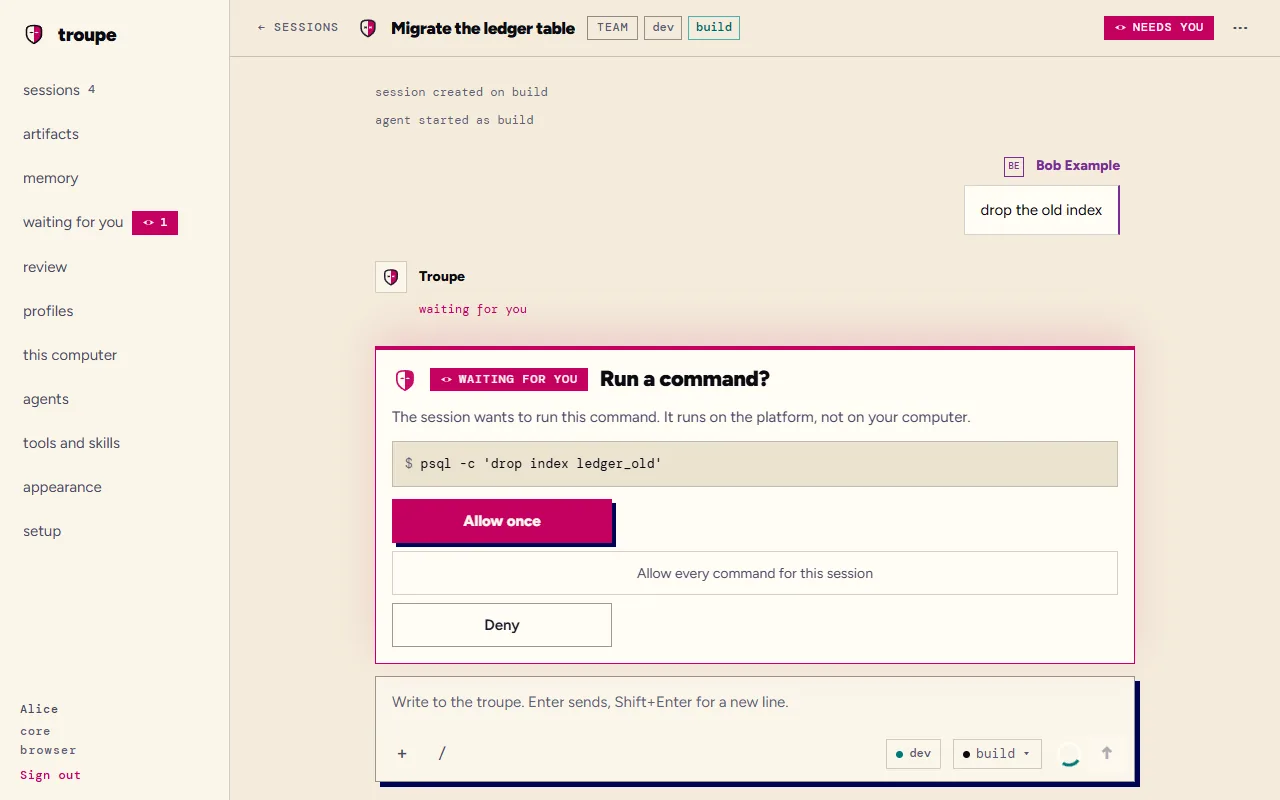
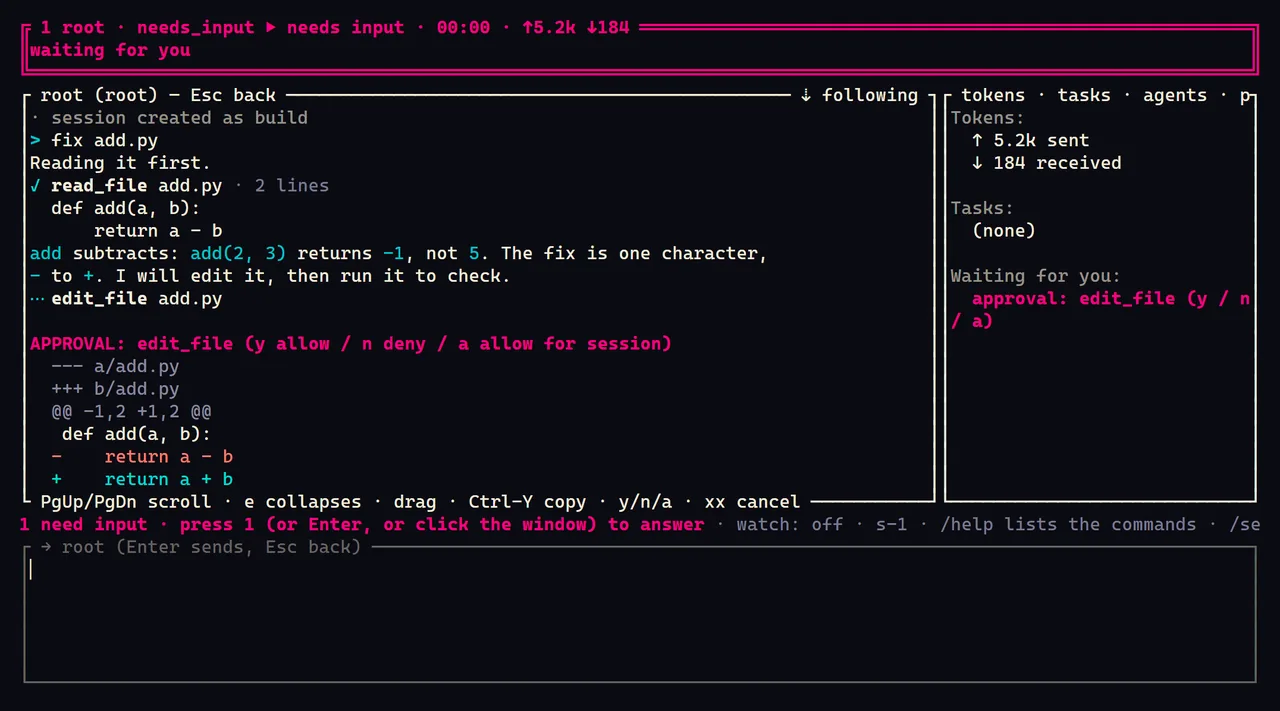
Troupe is an open-source harness for coding agents, on your own machine and on your team's Kubernetes cluster. An agent reads your code, changes it and runs commands, asking first, in a session that outlives the window you started it from.
On Linux or macOS:
curl -fsSLO https://github.com/it-minds/troupe/releases/latest/download/install.sh
sh install.sh --tui
On Windows, in PowerShell:
irm https://github.com/it-minds/troupe/releases/latest/download/install.ps1 -OutFile install.ps1
powershell -ExecutionPolicy Bypass -File .\install.ps1 -Tui
Then, in a new terminal, troupe config sets up a model and troupe in a project
directory opens a session. Troupe is a beta, Apache-2.0, and has nothing to sign up for.
The desktop app, from the latest release, unsigned for now:
Windowsx64-setup.exe or .msi macOSuniversal .dmg Linux.AppImage, .deb or .rpm
What is different
A session outlives its client
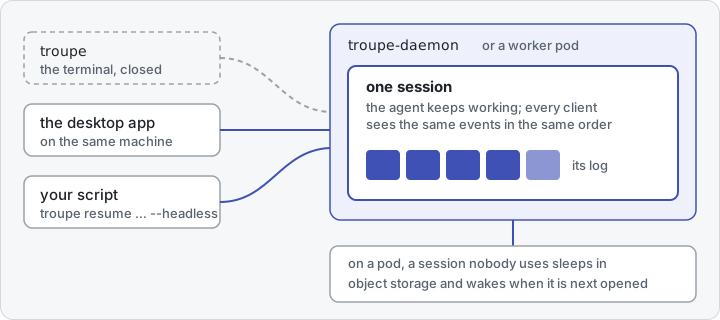
A session lives in the daemon on your machine, or on a worker pod of your team's plane, not in the terminal you started it from. Close the terminal and the agent carries on; open the session again from the desktop app or a script and you see what it did. On a pod, a session nobody uses sleeps in object storage and wakes when it is next opened (the harness, a worker pod).
One protocol, and no other way in
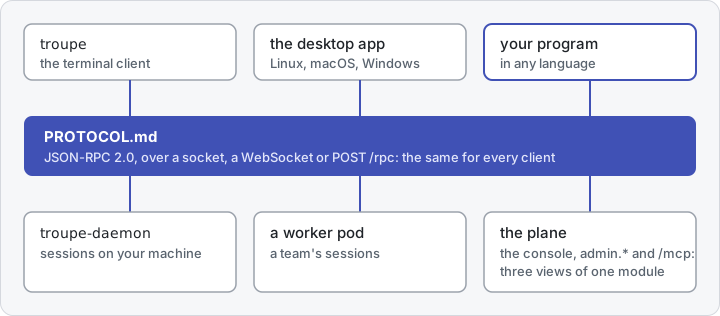
The terminal client and the desktop app speak only the protocol, which
is complete on its own, with JSON Schema for every message: a program of yours gets
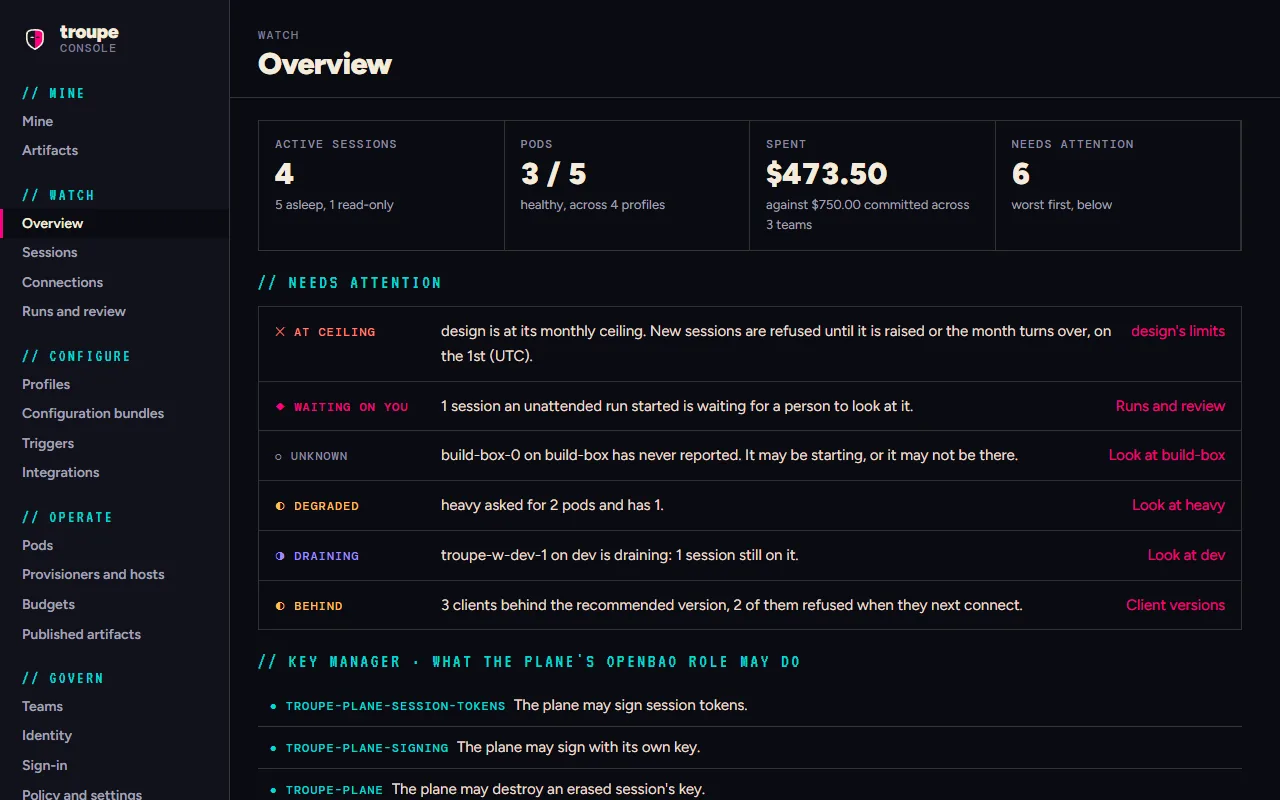
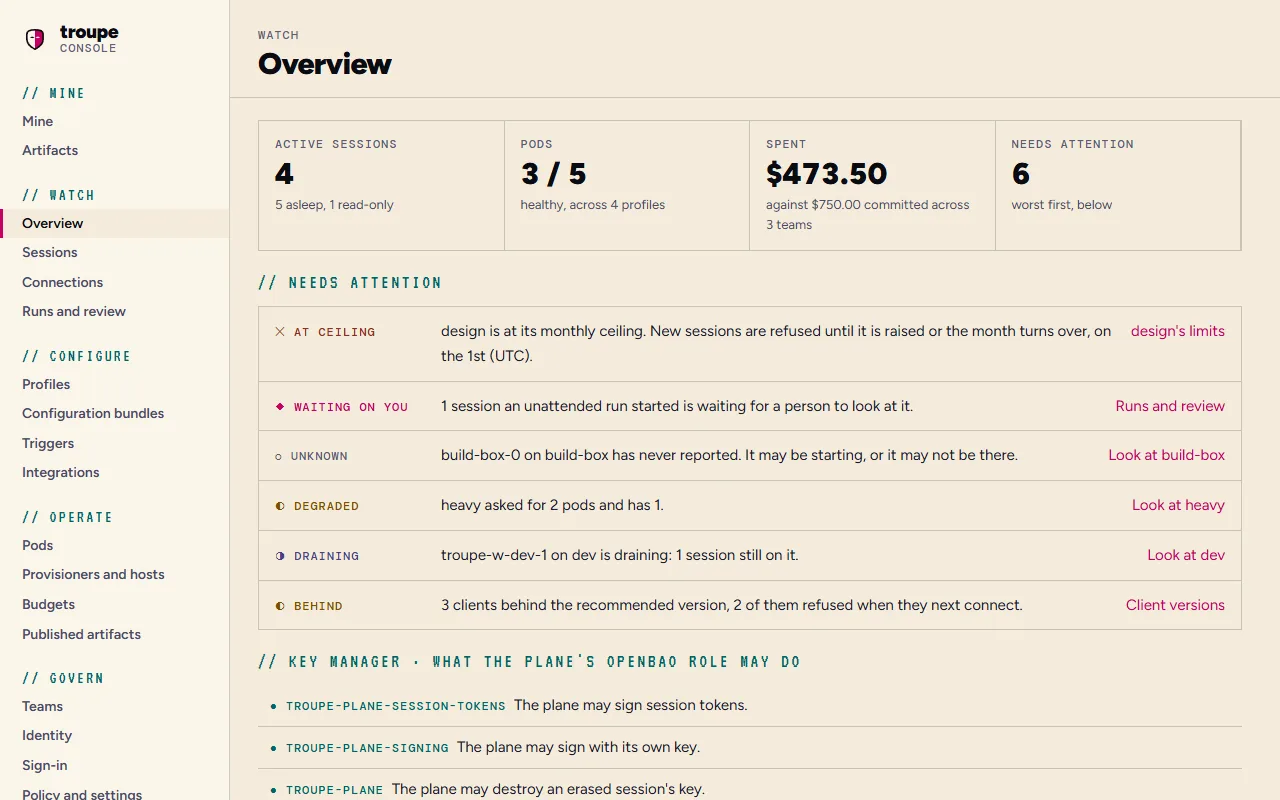
everything they get. On a plane, the console, the admin.* methods and the MCP server are
three renderings of one module, and a test holds them level, so nothing the console does is
out of a script's or an agent's reach (the admin surface).
Every session is a log you can replay and audit
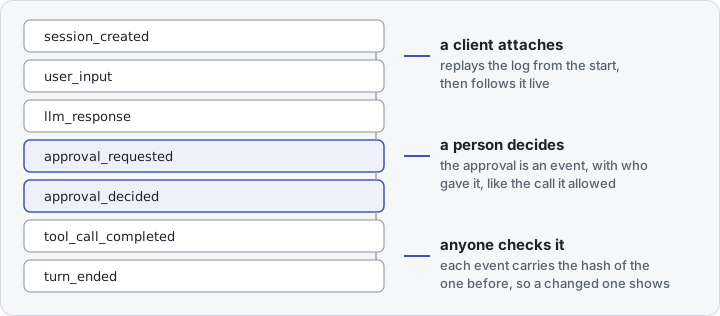
What a session did is its log: every prompt, model reply, approval and tool call, in order, each event carrying the hash of the one before. A client that attaches replays it and then follows it live, two clients see the same thing in the same order, and a changed event breaks the chain (events). What a session cost is read from the same log.
Who it is for
An engineer who wants a terminal coding agent whose work carries on when the terminal closes, and to follow it from the terminal, the desktop app or a script at once: if you use Claude Code or another agent CLI, Troupe is an open-source alternative that reads the instruction files, agents and MCP servers you already have. A team that wants a self-hosted coding agent on shared infrastructure, with agent orchestration on Kubernetes: sign-in from its identity provider, budgets per team and per person, and an audit trail. Anyone writing a client of their own, against one documented protocol that the bundled clients use too. Why Troupe says more, and when you do not need it.
What it costs
Troupe is free, under Apache-2.0, and runs no model of its own: an agent calls the
provider you name, with your key, and you pay that provider for
what the calls use. Every turn says what it cost, and troupe bench --live
tells you what a task costs on your setup before the bill does. A plane runs on a cluster
you already pay for, beside the PostgreSQL, object storage, OpenBao and identity provider
it needs (what a plane asks of you), and holds
each team and person to a budget in money.
Try it in ten minutes
The quick start: the install above, a key for a model, a first session, what it cost and a cap on the next one, and what a plane would add. CI runs its commands against the latest release every night.
Install Troupe Deploy it for a team
Where to go
| Install | The quick start, then the first run: troupe setup, or the desktop app's first screens. |
| Run it for a team | Installing a plane, from an empty cluster to a first team in the console, then the rest of the administrator's guide. |
| The documentation | By reader, below; the words it uses are in the glossary. |
| The repository | it-minds/troupe: the code, the releases and the issues. |
The documentation, by reader
Four kinds of reader come here, and each has a track and an order to read it in. The
tracks do not lean on each other: an operator never needs the contributor's pages, and a
client author needs nothing but the protocol. The site at
https://it-minds.github.io/troupe/ is built from this directory by mkdocs.yml.
Using Troupe
You run agents, on your own machine or on your team's plane.
- user/ — what a session is, the first run in five steps, the ways in, and a line for each page that explains one thing.
- The terminal client — installing
troupe, using it headless, and sessions on a plane; in VS Code, opened in a terminal tab at the workspace folder. - Command reference (generated) — every command line
troupetakes, and every command you type inside a session. - Configuration — every key in
config.yaml, and which file set it; models, agents and commands, MCP servers and skills, instruction files and memory each have a page. - The daemon —
troupe-daemon, what runs your sessions, and how long it stays up. - The desktop app — installing the builds while they are unsigned.
Running a deployment
You operate the platform: the chart, the services beside it, and the teams, profiles, bundles and triggers on top.
- admin/ — the tree, and nine things to know before the first
helm install. - Installing — from a cluster with nothing on it to a first team in the console. The shape of what you are installing is the plane and the pods.
- Roles and permissions and integrations — identity, what each surface accepts, and what the identity provider, OpenBao, PostgreSQL and object storage must provide; Authentik step by step.
- Profiles and policy (and from a repository), then bundles, triggers and budgets.
- Day two: monitoring, backup and restore, routine tasks.
- For reference: configuration (every variable, value, setting, Secret and port), what Troupe dials (generated), the A2A facade, and a worker on your own machine.
Changing the code
You contribute to Troupe itself.
- CONTRIBUTING.md — before you start, the sign-off, a first contribution.
- A tour — where things live, running the suite, adding a tool, and how the event log works.
- ARCHITECTURE.md — the map of the design, and why the log is the session.
- developer/ — setup, testing, conventions, the build, CI and releases, and the code's own map.
- decisions/ — the judgment calls that still hold, a file each, by number, each naming the code it governs.
Writing a client
You write a program that talks to a daemon or a worker pod, in any language.
- PROTOCOL.md — the whole surface, normative, written to need no checkout of this repository.
protocol/schema/v1/— JSON Schema for every command and event, add-only within version 1.- The conformance client — a client in Python's standard library that CI runs against a real daemon.
- The graphical client —
@troupe/client, a TypeScript implementation, and what it learned that the protocol does not say loudly.
Also here
third-party-licences.md (generated): what Troupe depends on, under which licences. SECURITY.md: reporting a vulnerability.