Why Troupe¶
What Troupe is for, who it is for, how it compares with running an agent CLI on your laptop, and when you do not need it. Every claim here points at the code or at the page that says how it works. Troupe's own words are in the glossary.
Who it is for¶
- An engineer who wants an agent's work to outlive the window. A
session lives in the daemon on your machine,
not in the terminal you started it from. Start it in the terminal UI, follow it from the
desktop app, script it with
troupe resume <id> --headless "…", and all three look at the same session at once. - A team that wants agents on shared infrastructure, with what an organisation asks of anything that spends money and touches code: sign-in from its identity provider, budgets per team and per person, an audit trail, and work that runs on the team's pods rather than on whichever laptop was open.
- Somebody writing their own client or integration. Everything a client does goes over
PROTOCOL.md, which is complete on its own, with JSON Schema for every
message under
protocol/schema/v1/. The terminal UI and the desktop app live in this repository and get nothing a client of yours would not.
Troupe and an agent CLI on your laptop¶
If you use one of the agent CLIs today, most of what makes it useful is here too: an agent
that reads, edits and runs commands in your checkout, and asks before it changes anything.
Troupe reads AGENTS.md and .agents/ as they are, and brings in once, into its own
files, what you have written for those tools: CLAUDE.md, GEMINI.md, Copilot's and
Cursor's rules, your agents and commands
(troupe onboard); your MCP
servers from an .mcp.json and your skills (MCP servers and skills); an
opencode setup's providers (from opencode).
Any provider with an Anthropic or an OpenAI API will do, behind a gateway or not.
What differs is where the work lives and what is kept of it:
| on your laptop | with a plane | |
|---|---|---|
| Where a session runs | in the daemon, outside any window (the harness) | on a worker pod, so every laptop can be closed (a worker pod) |
| Who can look | every client on the machine, together: the TUI, the desktop app, a script | the same from any machine, and a colleague you share the session with |
| What is kept | the session's log: append-only, hash-chained, and the session itself. Every view, restart and cost is read back from it | the same, sealed to object storage under keys the plane cannot use |
| What it may spend | limits on each agent's model calls, tokens and time, which ask before going further (quick start) | as well, money budgets per team, per person and for the platform, reserved before a session starts |
| Who acts | you | a person signed in through your identity provider, or a team's service principal, named on every event |
What the plane buys¶
A plane is the server a team runs on its Kubernetes cluster. What it adds, and where each part is described:
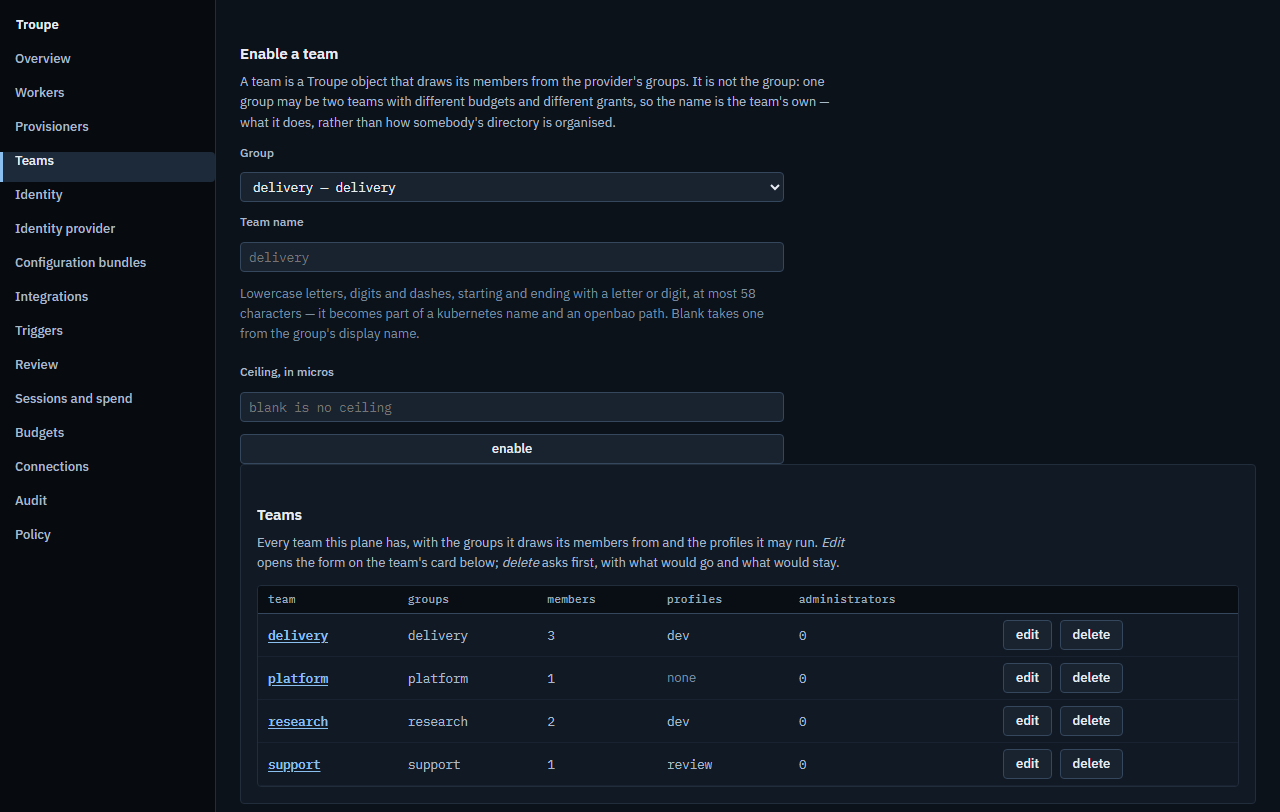
- Teams, from your identity provider. A team is a group your provider already has, enabled by an administrator; Troupe keeps no passwords and no membership of its own (roles-and-permissions.md).
- Budgets in money. A team, a person and the platform each have a ceiling, a session reserves a slice of it when it starts, and the ledger records what the calls actually cost (bundles-and-triggers.md §4).
- Audit. Every administrative change is a row with its actor and its diff, and the
trail is chained, so that
admin.audit.verifycan tell whether a row was altered behind the application (monitoring.md §4). - Pods. A profile is a kind of worker; the operator runs its pods in a namespace of their own, and the policy says what images they run and what hosts they may reach (profiles-and-policy.md).
- Sessions that survive the client. A session on a pod keeps going with no client attached, sleeps when idle and wakes when opened, on the same pod or another (a worker pod).
- Work nobody starts by hand. A trigger starts a session on a schedule or from outside, as a service principal, on terms of its own, and flags it for review (bundles-and-triggers.md).
- One protocol, with no private door. The clients use PROTOCOL.md like anyone's; the console calls the same admin methods the API and the MCP tools offer, and a test fails if an admin method has no screen and no written reason why not (ARCHITECTURE.md §1, the admin surface).
- A plane that cannot read your work. It knows who, which profile, which state and what it cost, and no administrative method returns what a session said (what Troupe never does).
What a plane asks of you¶
A plane is a real deployment, and it needs what one needs: Kubernetes 1.30 or later with a network plugin that enforces policy, an ingress controller, PostgreSQL, an S3-compatible bucket with versioning on, OpenBao or Vault, and an OIDC provider that issues a group claim (installing.md). Troupe runs none of these for you, on purpose: each is something an organisation already has opinions about. A worker can run on a machine you already have instead of a pod, and single-machine.md names each guarantee it gives up.
When you do not need it¶
- You work alone on one machine. The daemon and a client are the whole product for you, and a plane adds nothing you would use. Install them and skip the rest.
- Nothing you do needs to outlive the terminal, and the agent CLI you use does what you want. Troupe's differences are about where work lives and who can see it; if neither matters to you, switching buys little.
- You want a hosted service. There is nothing to sign up for, and a plane is yours to run.
- You want a sandbox on your laptop. On your machine an agent's commands run as you, in the directory you gave it, once you have approved them. Only a worker always runs them under bubblewrap (on a pod, behind a network policy as well); a laptop does so only for a session with mounts beyond its workspace.
- You need a stable 1.0. Releases are betas, and the binaries are not code-signed (#656), though every release's manifest is signed with the release key and checked before anything installs (updating). The protocol is versioned, and CI refuses a change to it that an older client could not survive, but the rest can still change between releases.